
Permissions control app
Set advanced user permissions for data security and control
Easily manage roles and permissions with customizable visibility controls.
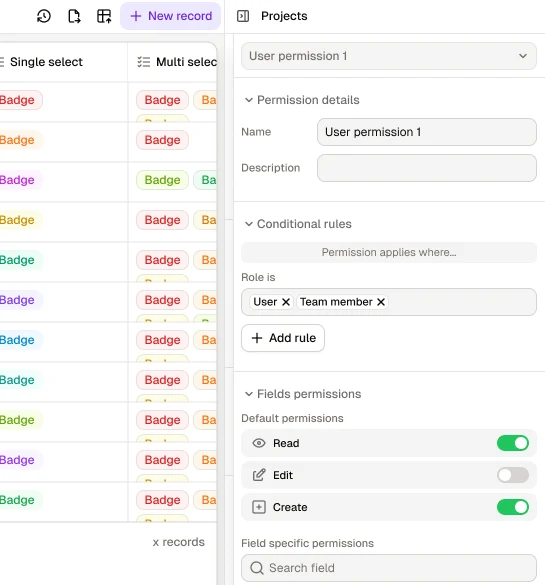
Admins like Sofia see every project, Budget included. Team members like Lucy see every project, but never Budget. Maya at Harbour Foods sees only Harbour Foods' 3 projects, and never Budget.
Keep tight control over who has access to what information
Precise permission controls
Limit data access to certain users
Easily manage data access so that sensitive information stays secure while your team only sees what they need, keeping distractions to a minimum and focus at its peak.
Role-based access controls
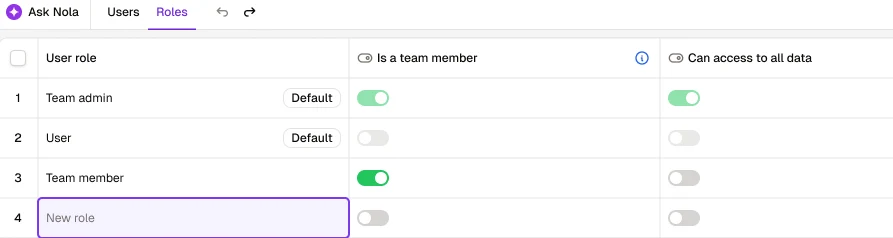
Create user roles to set access levels
By default, your app includes Team Admin and User roles, but you can create as many roles as needed to manage visibility and data access across teams and customers.
Instant synchronization
Real-time permission updates
Immediately update team member access, so everyone has the permissions they need the moment they’re set.
Data tracking
Audit trails and logging
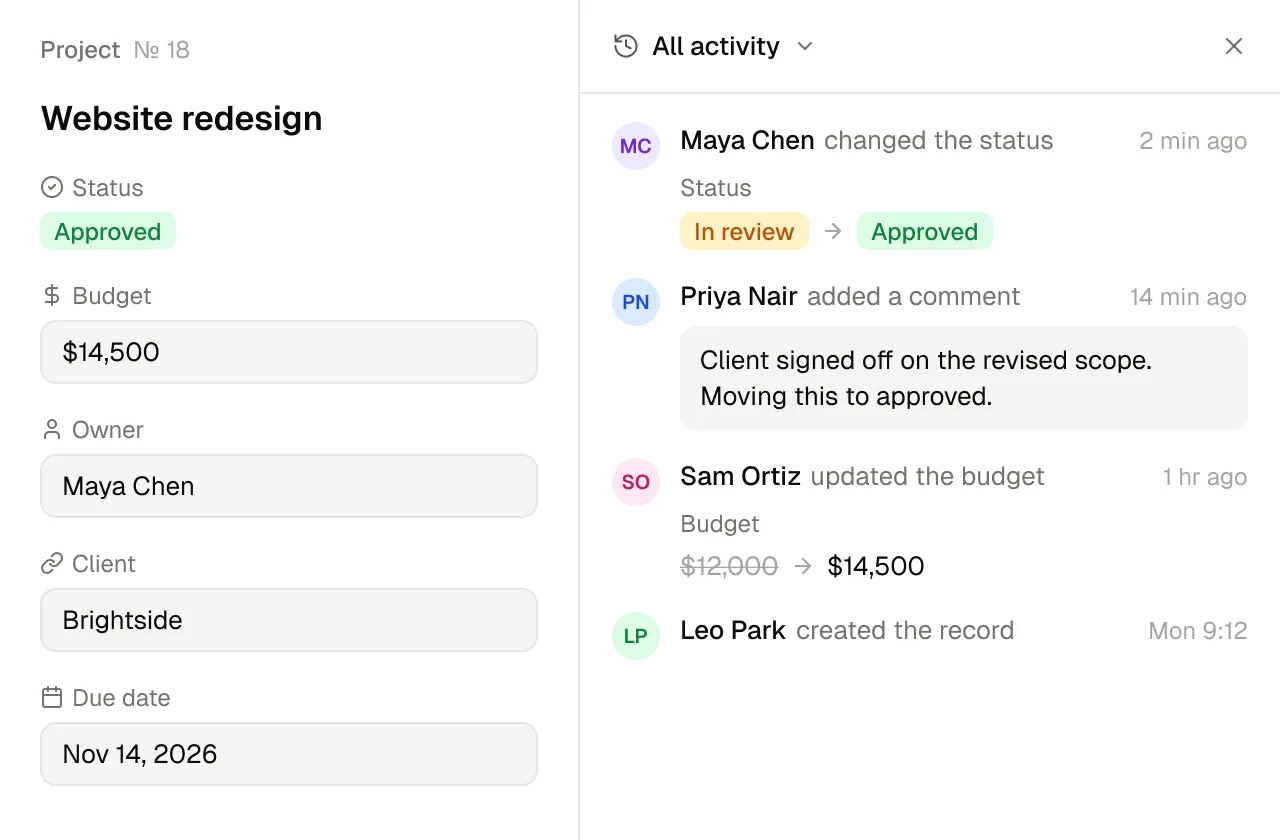
Every team member’s actions can be logged to keep a detailed history of changes made within your apps, ensuring accountability and maintaining your data’s integrity.
Customer stories
Teams building with it



Ready to secure your data while empowering your team?
Control access with powerful permission features. Easily pick and choose who sees what in real time.
No credit card required