
Action buttons
Custom action buttons automation
Use custom action buttons to streamline your business app. Create smart action buttons to automate tasks and speed up key actions in Rowmesh.
- Move to Review updates the project in one click: its status changes from In progress to Review.
- Request sign-off runs a workflow on this project: it will email the account manager, then set approval to Pending.
- Post an update opens a comment box in a modal, and the update lands in the project's activity.
A project page for Brand refresh in a Rowmesh app, with three action buttons in its header.
The secret to stress-free workflows
Versatile button options
Pick the perfect button for every action
From navigating to a specific URL or page to creating, updating, or deleting a record, pick the buttons that work best for your data.
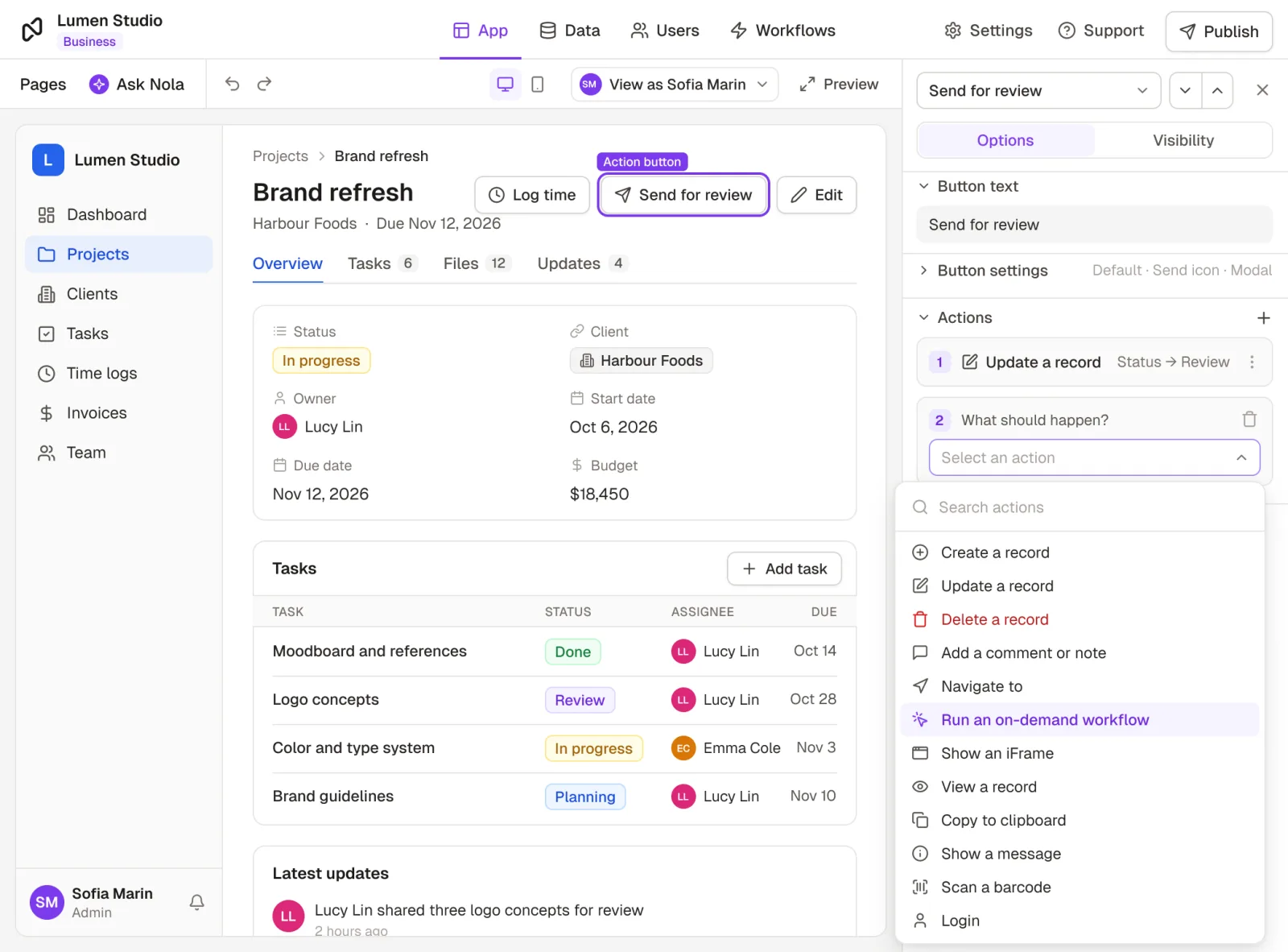
Intuitive UI
Add actions anywhere you need them
Quickly add action buttons to record pages, collection pages, and related record collections, so you can perform tasks exactly where and when you need them.
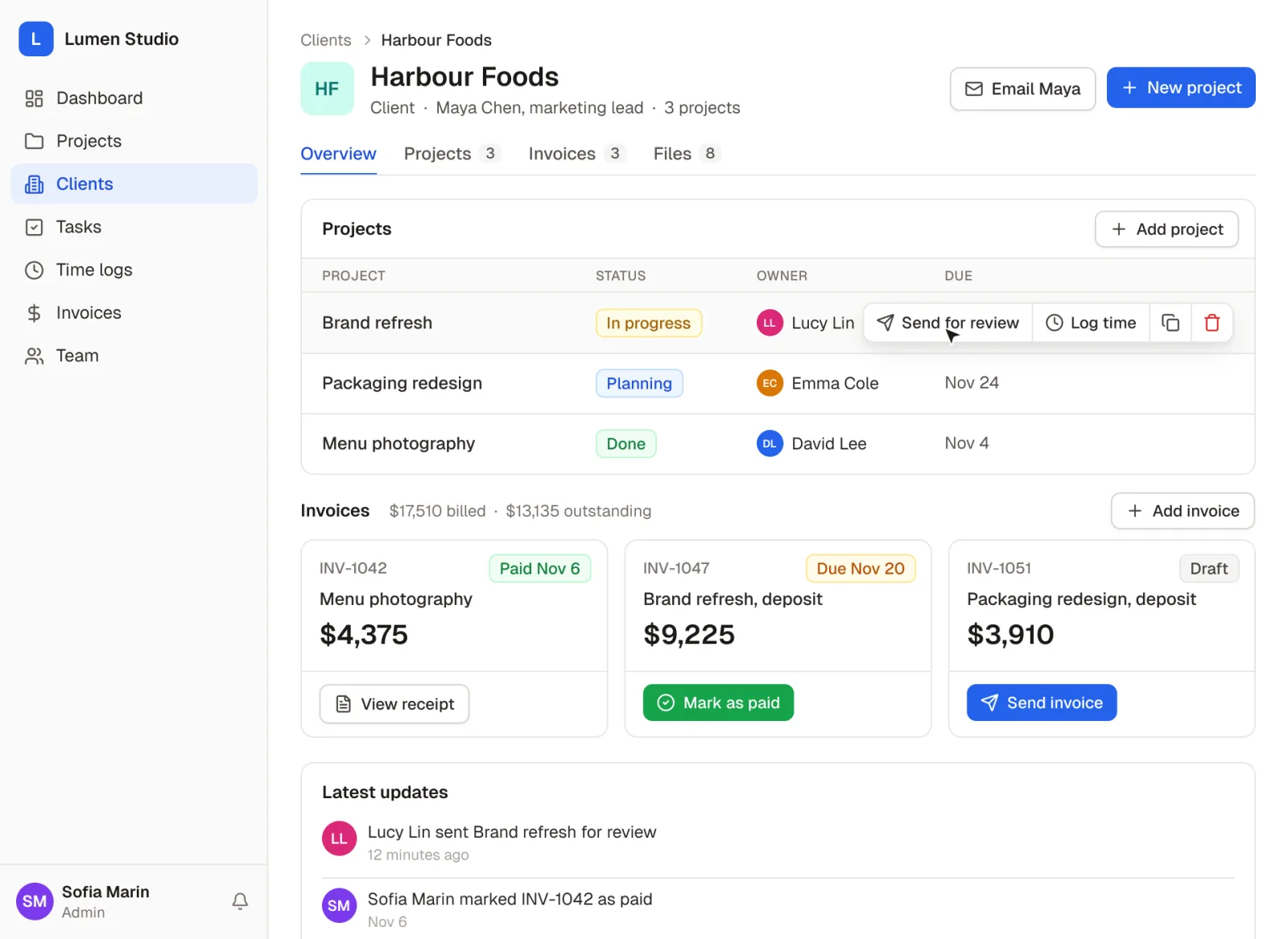
Personalized action buttons
Customize for a personalized experience
Use different colors to make buttons stand out based on their functions (e.g., ‘Save’, ‘Submit’, ‘Cancel’). You can also show or hide buttons depending on user roles and other predefined conditions.
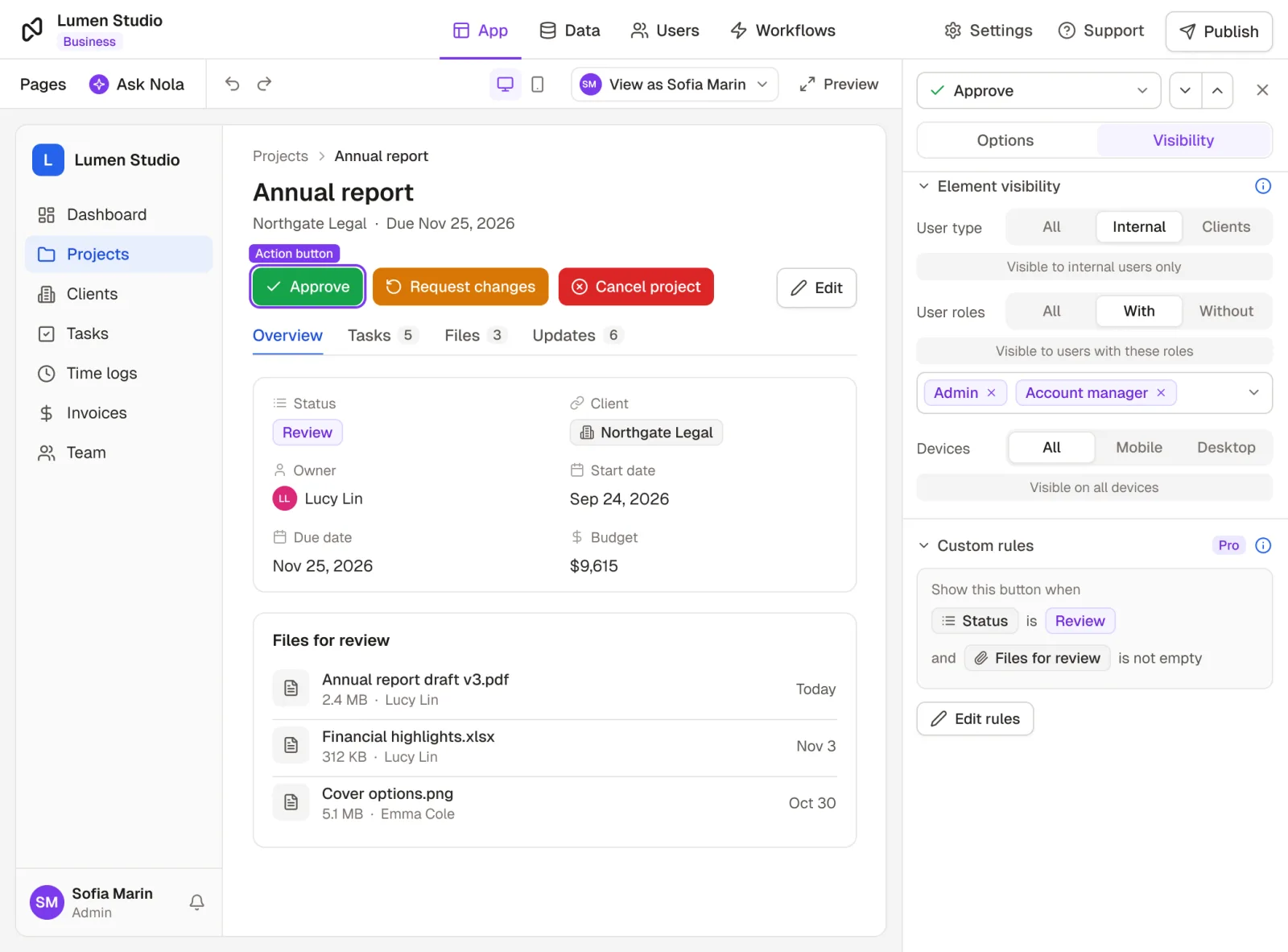
Instant workflows
Trigger workflows in one click
Configure workflows to send emails, launch webhooks, and automate other tasks, all at the click of an action button.
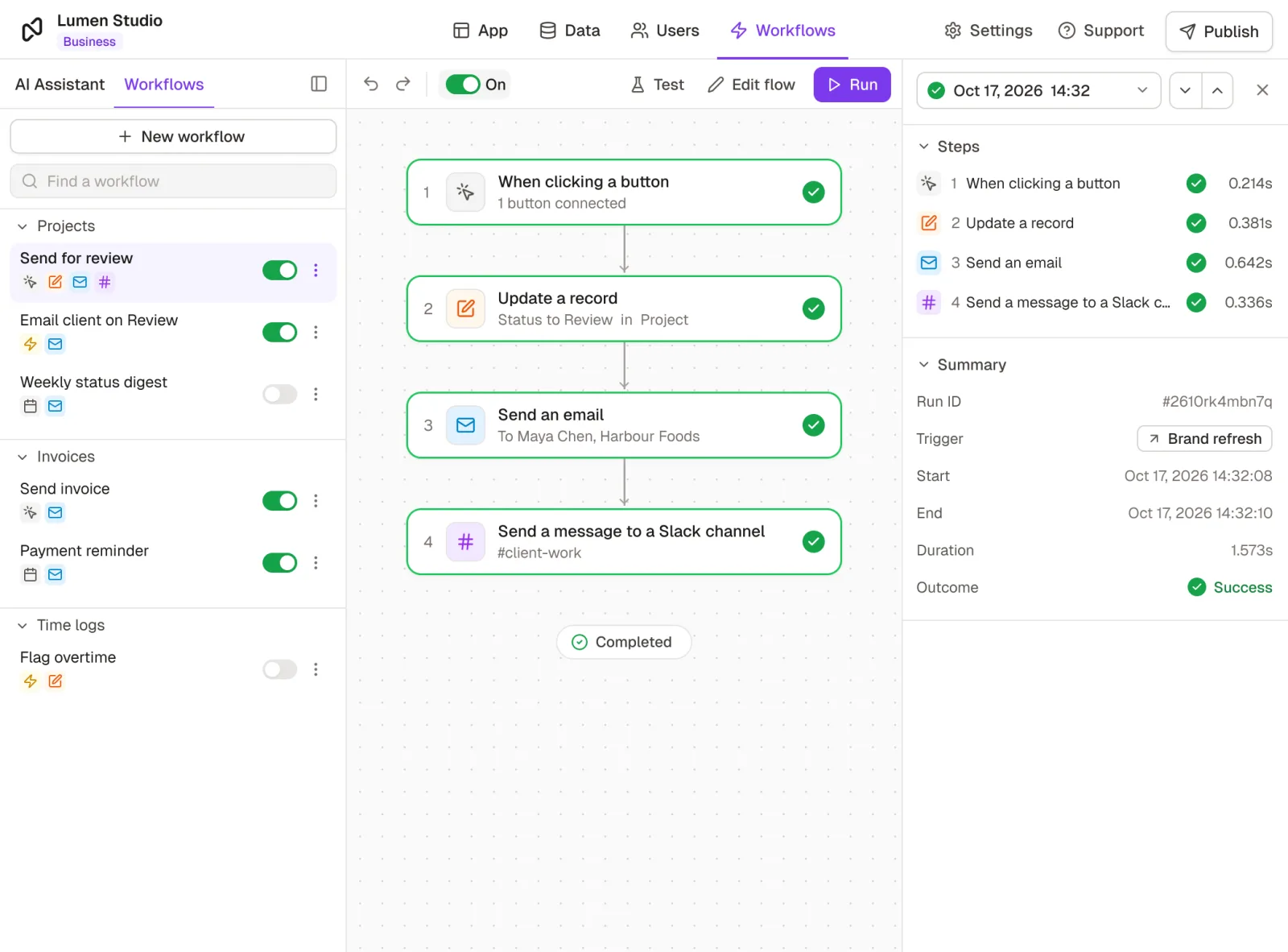
Customer stories
Teams building with it



Ready to transform user interactions and speed up key actions?
Get started with Rowmesh Action Buttons today.
No credit card required